iPod Nano Can Finally Run iOS
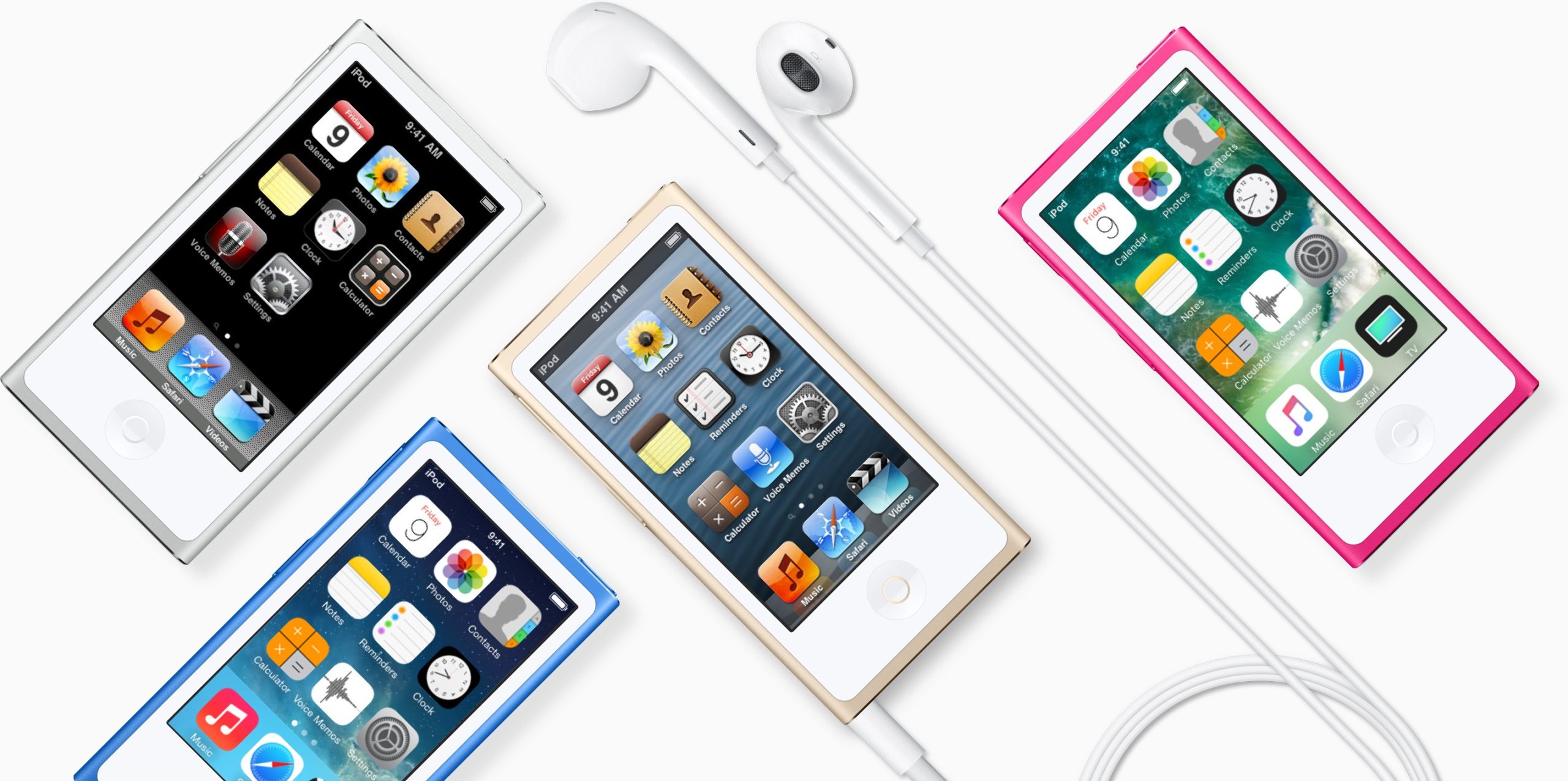
A new, unofficial software project allows Apple's seventh-generation iPod nano to run iOS and classic iPhone apps. Despite looking like a miniature iPod touch, the device originally ran its own operating system with an unusual, iOS 6-like interface and round app icons, without support for iPhone apps. At just 5.4mm thick and weighing 31 grams, it remains Apple's thinnest standalone device when camera bumps are included in the comparison. announced the project on November 28. Called "iOS on iPod
A new, unofficial software project allows Apple's seventh-generation iPod nano to run iOS and classic iPhone apps. Despite looking like a miniature iPod touch, the device originally ran its own operating system with an unusual, iOS 6-like interface and round app icons, without support for iPhone apps. At just 5.4mm thick and weighing 31 grams, it remains Apple's thinnest standalone device when camera bumps are included in the comparison. Developer "New Frontier 0x" announced the project on November 28. Called " iOS on iPod nano ," it supports releases from the original iPhone OS through iOS 10, though newer versions struggle on the hardware. Videos shared on social media over the weekend show the familiar iOS home screen on the iPod nano's narrow display, including default apps like Calendar, Photos , Notes, and Settings, as well as iconic games like Doodle Jump. The port can also get the iPod nano online despite its lack of Wi-Fi, using a Bluetooth hotspot. The project uses iOS with a modified kernel. Memory compression helps it run within the iPod nano's 64MB of RAM, while a graphics chip shared with the second-generation iPod touch allows hardware acceleration. The home screen and other interface elements have been adapted to fit the 240-by-432-pixel display. The software launches through NanoApps , which is a homebrew platform that adds apps to the iPod nano's original interface. Getting iOS to boot is only part of the challenge. In one post, X user @_oinkey showed iOS 10 reaching the home screen, but said it took around 11 minutes to start and apps would not load. In a GitHub discussion , another tester reported boot times of approximately one minute for iPhone OS 3 and five minutes for iOS 6, along with repeated crashes. Some users reported fewer problems, even when running the same version. Users have also reported devices becoming stuck at the Apple logo after restarting, with normal restore attempts failing. Contributors are now investigating flash-storage